Services
Village systems the office staff actually use.
Resident records, document services, mapping, and the village website in one system shaped around how a village office already works — rather than a workflow imposed on it.
Village Information Systems
Almost every village office already has the data. The problem is that it is scattered: a spreadsheet on the administration officer’s computer, a stack of family cards in a cabinet, a hand-written register, and a supplied application nobody uses because it does not match the daily routine. When a resident asks for a letter, all of it is searched again from scratch.
The systems I build start there. The first thing settled is not the feature list but the data structure: residents, family cards, households, regions from hamlet down to RT, and the population events that change them. Services, statistics, maps, and the citizen portal are built on top — because all of them are, in the end, different ways of reading the same records.
SmartGovt, the main system in this area, now runs in local government with over 100 data models and 180 database migrations. It is not a prototype: it serves residents every working day.
Scope
What the work covers.
Population administration
Resident records with NIK lookup, family cards, households, and change histories. Population events — births, deaths, arrivals, departures, residence changes, family-card splits — each have their own validated recording workflow.
Document services
Document types, templates the office can edit itself, application forms, staged approval, signatures, PDF issuance, and QR verification. Residents can check a document is genuine without visiting the office.
GIS & regional statistics
Maps of residents, households, facilities, and places with layers that can be switched on individually. KML/KMZ spatial imports. Demographic statistics with historical snapshots for period-to-period comparison.
Village website
A public village site with a visual editor, news, galleries, and citizen complaints — fed directly from the administration system, so the profile and statistics on the website never need updating by hand.
Citizen portal & RT/RW administration
Appointments, guest book, important contacts, emergency alerts with notifications. At neighbourhood level: events with minutes, cash books, dues, savings, and rotating savings groups.
Migration & initial data import
Existing data from spreadsheets, a previous application, or photographs of family cards is brought in through queued imports with downloadable failed rows — not retyped line by line.
Evidence
Systems already running.
Not mockups — every one of these was built, handed over, and is used daily.
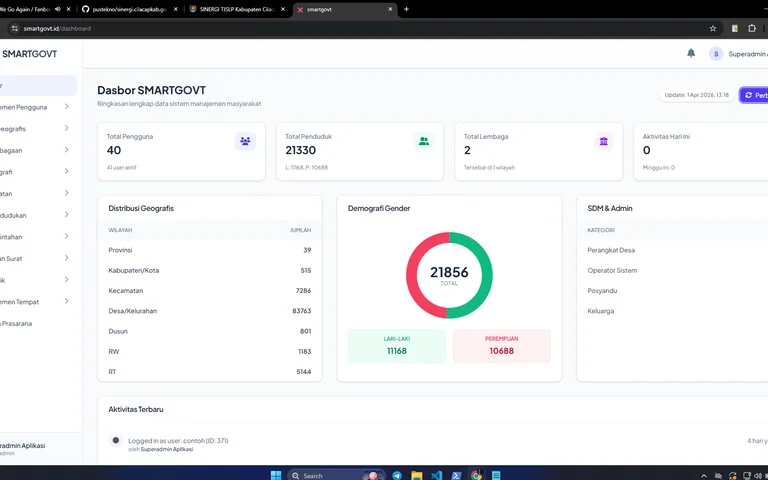
SmartGovt — Village Administration & Services
Village government platform with resident and household records, document services, GIS, regional statistics, RT/RW administration, a citizen portal, and Desa Anti Korupsi (Anti-Corruption Village programme) evaluations.
Laravel 12 · PHP 8.2 · Blade · Alpine.js · +15
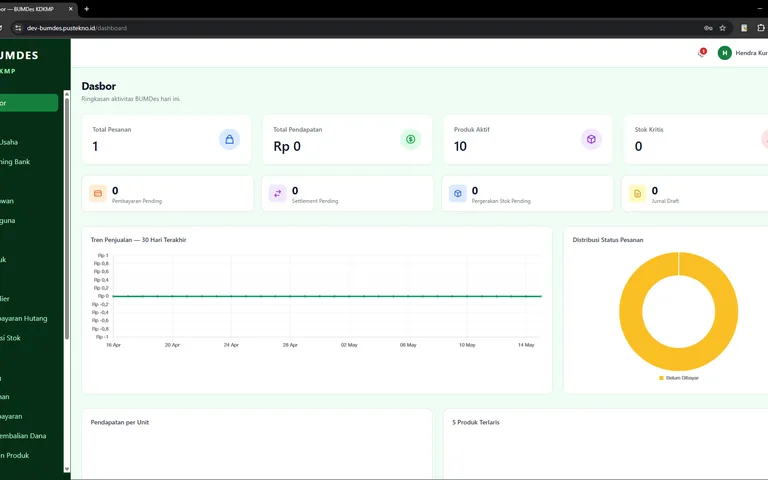
Mekar Cilacap — BUMDes/KMP Portal & Marketplace
A digitisation platform for Cilacap Regency’s BUMDes: a Next.js 16 frontend with a separate Laravel API for entity directories, a product marketplace, cash records and monthly reports, accountability reports, work programmes, and profit sharing.
Next.js 16 · React 19 · TypeScript · Tailwind CSS 4 · +10
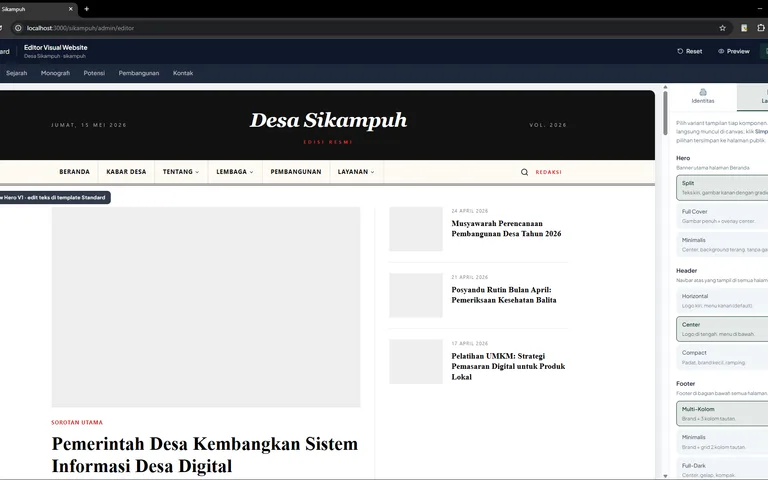
Web Builder — Village Website SaaS
A multi-tenant SaaS platform for village websites: a GrapesJS visual editor, custom domains with on-demand TLS, WordPress imports, SEO analysis, and SmartGovt data integration.
Next.js 15 · React 19 · TypeScript · Laravel 13 · +12
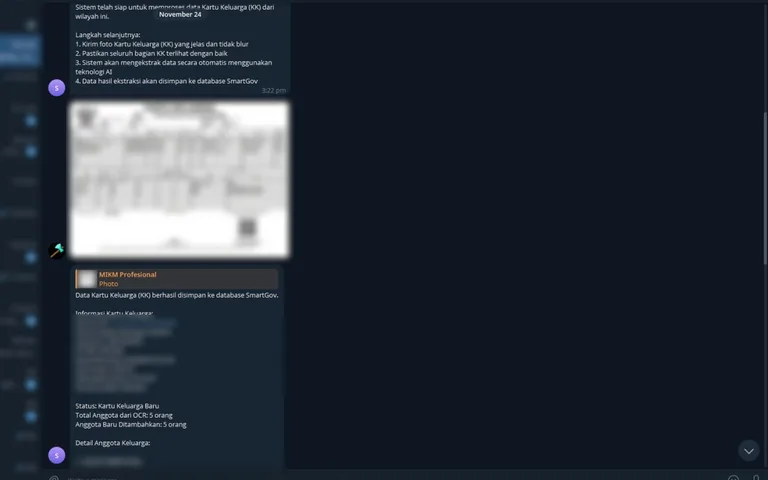
Bot OCR KK — Data Extraction via Telegram
A Telegram bot that extracts Kartu Keluarga photographs using Google Gemini, validates data and regional references, and saves the results to the SmartGov database.
Node.js · Telegram Bot API · Google Gemini · MySQL · +3
How it works
From first conversation to handover.
- 1
Look at how the work is done now
I ask for the letters issued most often, the files in use, and who touches them. The existing workflow is the specification.
- 2
Scope, estimate, and priorities
You get a scope, a build order, and an honest timeline. What is used daily comes first; what is used rarely can follow.
- 3
Build in stages
Module by module, with something usable early. Staff try the first module before the second is written, so corrections arrive while they are still cheap.
- 4
Data migration & training
Existing data is imported, checked, then staff are trained on their own records — not on sample data.
- 5
Handover & maintenance
Deployment, scheduled backups, and post-release maintenance are part of the job. An administration system abandoned at handover stops being used within months.
Common questions
What people usually ask.
How long does a village information system take?
It depends on scope. The population and document modules — the parts used most — are usually usable within weeks. A full system with GIS, historical statistics, a citizen portal, and neighbourhood administration is a matter of months. I would rather ship a useful module early than wait for everything.
Can existing resident data be migrated?
Yes. Spreadsheet import is the common route and already exists as a queued process with a report of failed rows, so bad data can be fixed without repeating the whole import. For records that only exist on paper, I have built an OCR bot that reads photographs of family cards into structured data.
Can one installation serve several villages?
Yes. SmartGovt is built around regional scope and user authority, so a single deployment can serve many villages under one regency with separated data and per-region access. For village websites, the Web Builder platform is multi-tenant: one village, one subdomain or its own domain.
Who owns the data and the source code?
The data belongs to the village or regional government, entirely. Source code is agreed up front and written into the contract — anywhere from a usage licence to full code handover, depending on the arrangement.
What if another application is already in use?
That is normal and not a problem. The first thing I check is what form the existing data can be exported in. As long as it can be exported — spreadsheet, CSV, or database access — migration is workable. SmartGovt also has an integration and API layer for connecting to applications that stay in use.
Services
Other services
Local Government Applications
Systems for government agencies: case handling, service delivery, data verification, performance reporting, and public transparency portals — several of them already running on official regency domains.
ERP for Village Enterprises & Small Business
Sales, point of sale, multi-warehouse inventory, purchasing, and accounting in one system — built for village enterprises and small businesses that neither need nor can afford enterprise-scale ERP.
School & Learning Centre Applications
QR attendance, verified teaching journals, assignments, exams, and report cards for schools and community learning centres — designed so administrative work shrinks rather than gains another application.
Contact
Tell me what you need to build.
Tell me about the system you need to build, the people who will use it, and the work it has to support. WhatsApp is fastest; I reply to every message.
Based in Purwokerto, Central Java. Working with clients across Indonesia, remote or on site.