ASIS Mobile — Flutter App for the ASIS School Ecosystem
The Android app of ASIS for parents, students, teachers, and school staff. Ahmad Rizza Fachrudin built its first version; I took over as main developer and added on-device face attendance, an answer-sheet scanner, exams, offline sync, and native screens for every menu.
Screenshots
Overview
What this system does.
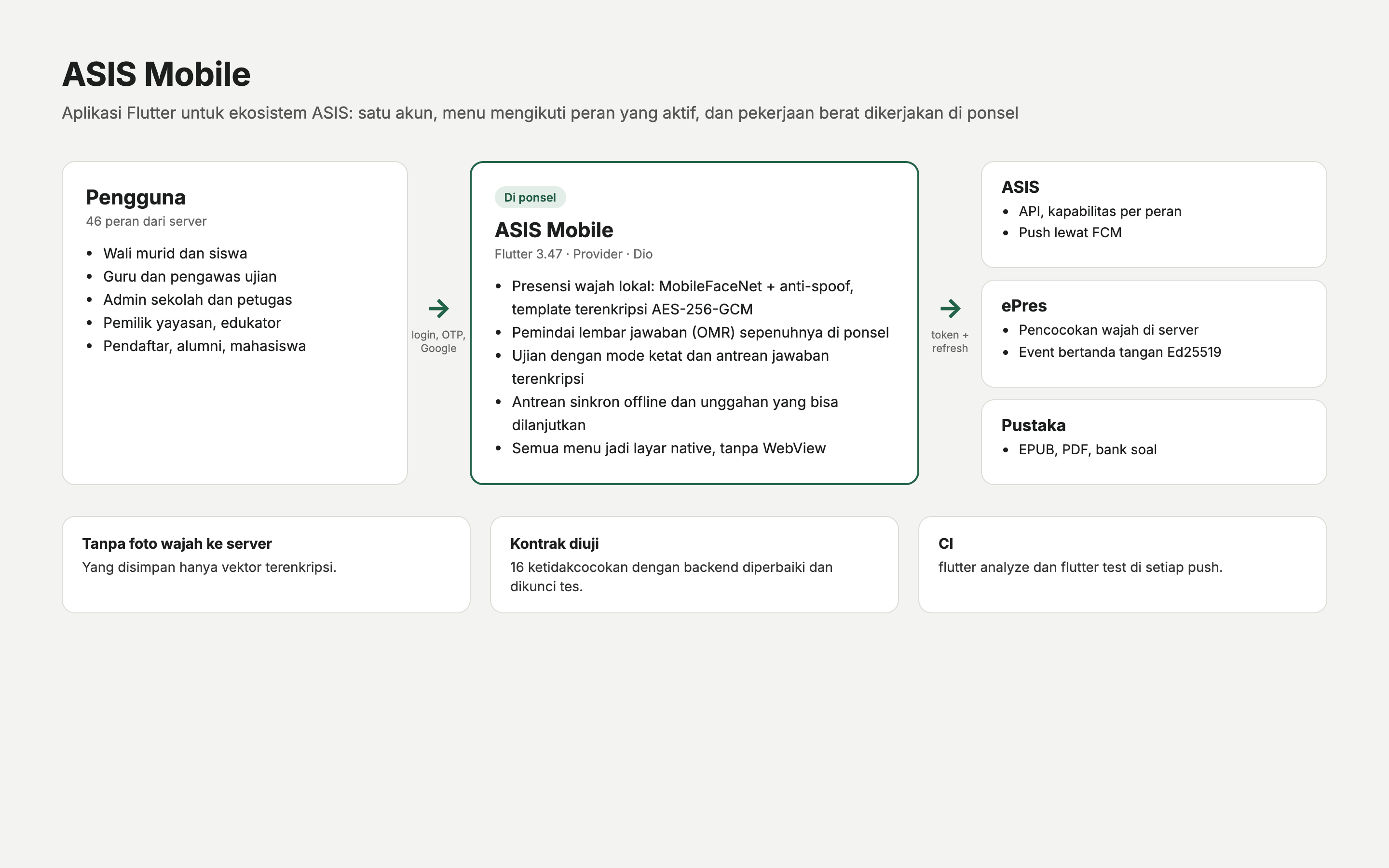
ASIS Mobile is the Flutter companion to ASIS, the school information system. One account opens every role a person holds, and the server decides which menus each role sees: parents follow report cards, bills and instalments, permits, health, and dormitory news; teachers take class attendance, write teaching journals, enter quick scores, and mark essays; school admins handle attendance, the emergency school bell, student data, a task inbox, and field work at the canteen till, clinic, and guest book. Foundation owners, applicants, alumni, and university students have their own areas, and the Pustaka reader opens EPUB, PDF, and Office documents offline.
Ahmad Rizza Fachrudin built the first version in July and August 2026: the project, registration with OTP, profile selection, the first dashboards, and a hand-off to the ASIS website through a WebView. From September I became the app’s main developer. I replaced every WebView menu with a native screen, including 41 admin menus that had led nowhere, fixed 16 mismatches with the ASIS backend and locked them with contract tests, and added Google sign-in, automatic token refresh, and push notifications on a new Firebase project.
The heavier work now runs on the phone. A face engine package detects faces with ML Kit, computes MobileFaceNet embeddings and an anti-spoofing score with TensorFlow Lite, and asks for a random blink, smile, or head turn; templates are encrypted with AES-256-GCM in a PIN-protected vault, and attendance events are signed with Ed25519. When the phone is online, matching goes through the ePres server; without signal, it falls back to the phone. The app also reads printed ASIS answer sheets and their QR codes without a server, runs exams with a strict mode, encrypted question packages, and an encrypted answer queue, and keeps quick scores and violations in an offline queue. Bearer tokens go only to ASIS hosts, cleartext traffic and backups are disabled, and CI runs the analyser and 45 test files on every push.
Feature inventory
Highlights
20 capabilities verified against the project source.
Accounts and roles
- Sign-in with OTP registration, Google Sign-In, and automatic token refresh
- Profile and role switching per school, with menus driven by server capabilities
- Native screens for every menu, replacing the earlier WebView hand-off
Face attendance
- On-device face attendance with ML Kit detection and MobileFaceNet embeddings
- Anti-spoofing model plus a random blink, smile, or head-turn challenge
- Face templates encrypted with AES-256-GCM in a PIN-protected vault, events signed with Ed25519
- ePres server matching when online, on-device matching as the offline fallback
Learning and assessment
- Answer-sheet scanner that reads printed ASIS sheets and their QR codes on the phone
- Exams for students and proctors with strict mode, encrypted question packages, and an encrypted answer queue
- Teacher tools: class attendance, teaching journals, quick scores, discipline records, assignments, and essay marking
- Pustaka reader for EPUB, PDF, and Office documents, plus the question bank
- University screens for course registration, grade sheets, transcripts, and advising
Parents and school operations
- Parent area: report cards, bills and instalments, permits, health, dormitory, and achievements
- Admin area: attendance, emergency school bell, student data, task inbox, and global search
- Field operations: canteen till, clinic, and guest book
- Dapodik and eRapor bridge screen
Reliability and security
- Offline queue for quick scores and violations, with resumable uploads
- Contract tests for the 16 fixed mismatches with the ASIS backend
- Bearer token sent only to ASIS hosts, cleartext and backups disabled, logging only in debug builds
- CI on GitHub Actions running flutter analyze and flutter test, with Flutter pinned to 3.47.2
Capabilities
What it is built to handle.
Implementation highlights documented in the project source.
- Dead menus revived
- 41
- Admin menus turned into native screens
- Backend mismatches fixed
- 16
- Each locked with a contract test
Tech stack
Built with 9 technologies.
- Flutter
- Dart
- Provider
- Dio
- Firebase Cloud Messaging
- Google ML Kit
- TensorFlow Lite
- MobileFaceNet
- GitHub Actions
Common questions
What people usually ask.
Who built what?
Ahmad Rizza Fachrudin built the first version: registration, profile selection, the first dashboards, and the WebView hand-off. I took over in September and wrote the native screens that replaced the WebView, the face engine, the answer-sheet scanner, exams, offline queues, the backend contract fixes, and the security and CI work. Other Puskomedia team members later added screens for bills, Pustaka, and menus.
Why run face recognition on the phone when ePres exists?
Many schools have weak signal at the gate. With a connection the phone sends the scan to the ePres server; without one it matches against encrypted templates stored on the phone and signs the event, so attendance is still recorded and can be verified later.
Are face photos uploaded?
No. Only encrypted templates are kept, in a vault opened with a PIN, and attendance events carry a signature instead of an image.
Same field
Related projects.
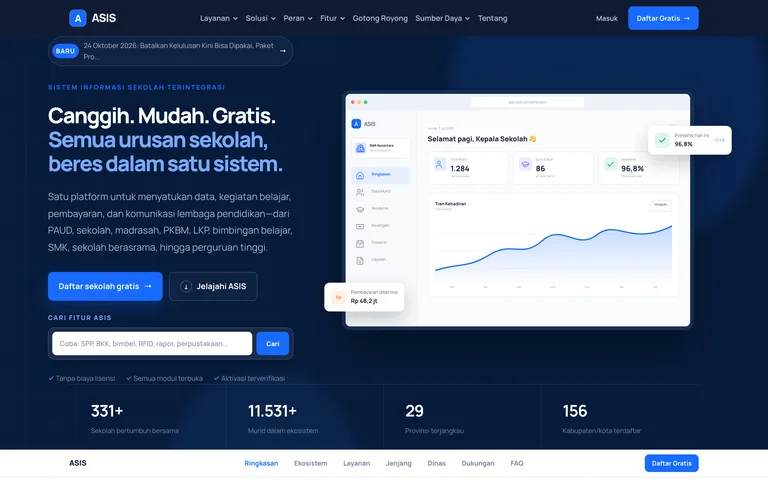
ASIS — School Information System Ecosystem
A free, multi-tenant school ecosystem with one account for every role: academics and Kurikulum Merdeka, exams, finance, student affairs, staff, school services, school websites, a mobile app, a digital library, and an interactive studio.
Laravel 13 · PHP 8.4 · Blade · Alpine.js · +7
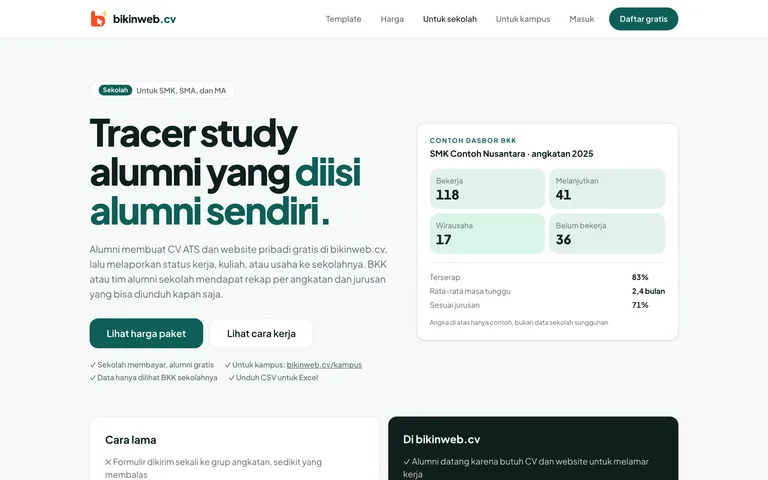
bikinweb.cv — Online CVs and Alumni Tracer Studies
A Jadiin Online product that turns one resume into a personal web page, ATS PDFs, and a QR code, and gives schools and campuses an alumni tracer study that their graduates fill in themselves.
Laravel 13 · PHP 8.4 · Tailwind CSS 4 · Alpine.js · +3
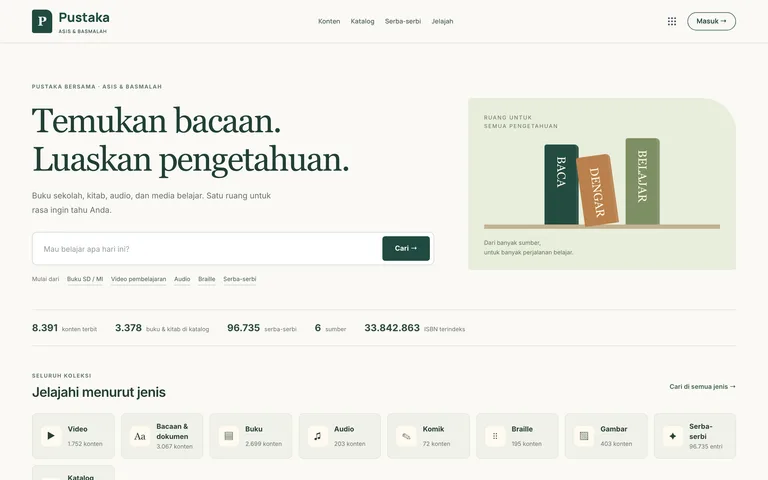
Pustaka ASIS — Digital Library, Teaching Kits & Question Bank
The content warehouse of the ASIS ecosystem: digital books, Kurikulum Merdeka teaching kits generated from learning objectives, a reviewed question bank with LaTeX and standard exports, and an ingest API for contributors.
Laravel 13 · PHP 8.4 · Blade · Alpine.js · +6